Biggest 27GP850-B and 27GP83B-B Buying Mistakes (And How to Avoid Them)
Introduction
The LG UltraGear series has solidified its reputation as one of the most reliable and high-performing lines in the gaming monitor market. Among its most popular offerings are the LG 27GP850-B and the LG 27GP83B-B. These two displays are often at the top of the list for gamers seeking a balance between speed, color accuracy, and price. Both monitors feature Nano IPS panels, 1440p resolution, and incredibly fast response times that rival traditional TN panels while maintaining the superior visual fidelity of IPS technology.
However, the similarity between these two models often leads to significant confusion. To the untrained eye, they appear nearly identical, yet they occupy slightly different price points and offer nuanced technical differences that can impact the user experience depending on the specific hardware setup and gaming preferences. Buying the wrong one, or misunderstanding what they actually offer, can lead to buyer's remorse or wasted expenditure. This article explores the common pitfalls consumers face when choosing between the 27GP850-B and the 27GP83B-B and provides a comprehensive guide on how to make an informed decision.
Mistake 1: Assuming They Are Identical Panels
One of the most frequent errors is assuming that the 27GP850-B and 27GP83B-B are the exact same product with different regional naming conventions. While it is true that they share the same underlying LG Nano IPS panel technology, there are internal hardware differences that affect performance. The 27GP850-B is essentially the "pro" or "OC" version of the panel, whereas the 27GP83B-B is the standard high-performance version.
The primary differentiator is the maximum refresh rate and the internal controller. The 27GP83B-B is capped at a native 165Hz. The 27GP850-B, on the other hand, also has a native frequency of 165Hz but includes an "Overclock" feature in the On-Screen Display (OSD) that allows it to reach 180Hz. While a 15Hz difference might seem negligible to a casual user, for competitive gamers playing titles like Counter-Strike or Valorant, that extra headroom can provide a smoother motion floor. Failing to recognize this means you might pay extra for a feature you don't use, or miss out on speed because you wanted to save a small amount of money.
Mistake 2: Overlooking the USB Hub Functionality
In the modern workspace, the monitor is often the "brain" of the peripheral setup. A major mistake buyers make is neglecting the connectivity ports on the back of the device. The LG 27GP850-B features a built-in USB 3.0 hub, typically consisting of one upstream port and two downstream ports. This allows users to plug their mouse, keyboard, or headset directly into the monitor, reducing cable clutter on the desk and making it easier to switch between a gaming PC and a laptop.
The LG 27GP83B-B lacks this USB hub entirely. It is a "leaner" model focused purely on the display aspect. Many buyers purchase the 27GP83B-B to save $30 to $50, only to later realize they need to spend that same amount on a standalone USB hub because their PC case is out of reachable ports. Understanding your cable management needs is vital before choosing the more budget-friendly 27GP83B-B.
Detailed Product Analysis: The Nano IPS Paradigm
Both monitors utilize LG’s proprietary Nano IPS technology. This involves applying a layer of nanoparticles to the LED backlight. These particles absorb excess light wavelengths, specifically those between green and red, which results in more accurate and vibrant color reproduction. This technology allows both the 27GP850-B and the 27GP83B-B to cover 98% of the DCI-P3 color gamut, which is the standard used in the cinema industry.
Performance in Gaming
When it comes to motion handling, these monitors are leaders in their class. They both boast a 1ms (Gray-to-Gray) response rate when set to the "Faster" overdrive setting. However, a common technical mistake is using the "Faster" setting blindly. In many independent tests, "Faster" can introduce undershoot or overshoot ghosting. The "Fast" setting is generally considered the "sweet spot" for both monitors, providing exceptionally clear motion without visual artifacts. Buyers who don't tune their OSD settings often miss out on the intended performance of these high-end panels.
HDR Capabilities
Both models are advertised with HDR support, but this is a common trap for consumers. The 27GP850-B is VESA DisplayHDR 400 certified, while the 27GP83B-B also supports HDR10. It is important to understand that at this brightness level (around 400 nits) and without local dimming zones, neither monitor provides a "true" HDR experience. The HDR implementation is software-based and lacks the contrast ratio required to make highlights truly pop against dark backgrounds. Buying these monitors specifically for an "HDR Cinema" experience is a mistake; they are SDR (Standard Dynamic Range) kings that happen to accept an HDR signal.
Find top-rated Electronics products at great prices.
Browse Now →Comparison of Specifications
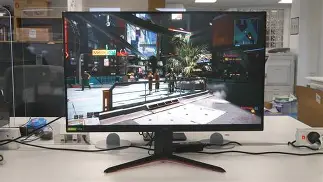
To help visualize the subtle but important differences, the following table breaks down the key technical specifications of both models.
| Feature | LG 27GP850-B | LG 27GP83B-B |
|---|---|---|
| Resolution | 2560 x 1440 (QHD) | 2560 x 1440 (QHD) |
| Refresh Rate | 165Hz (180Hz Overclock) | 165Hz Native |
| Panel Type | Nano IPS | Nano IPS |
| Response Time | 1ms GtG | 1ms GtG |
| USB Hub | Yes (2 Ports) | No |
| HDR Rating | DisplayHDR 400 | HDR10 |
| Brightness | 400 nits (typ) | 400 nits (typ) |
| Adaptive Sync | G-Sync Compatible / FreeSync Premium Pro | G-Sync Compatible / FreeSync Premium |
Mistake 3: Ignoring Room Lighting and Contrast Ratios
A mistake that spans both models is failing to consider the environment in which the monitor will be used. Nano IPS panels are famous for their speed and color, but they share a common weakness: contrast ratio. Typically, these panels hover around a 700:1 to 1000:1 contrast ratio. In a dark room, blacks will appear as a dark gray, and "IPS Glow" (a faint light bleeding from the corners) may be visible during dark scenes in games or movies.
Buyers who plan to use their monitor primarily for late-night gaming in a pitch-black room might find the 27GP850-B or 27GP83B-B disappointing compared to a VA panel or an OLED. However, in a well-lit office or a room with ambient lighting, this limitation is virtually invisible. The mistake here is purchasing based on "Pro Gamer" reviews without considering your own physical environment.
Mistake 4: Misunderstanding Adaptive Sync Compatibility
Both monitors are "G-Sync Compatible" and support AMD FreeSync. However, there is a technical d…For PC gamers with NVIDIA cards, the experience is largely identical because both are officially certified by NVIDIA. The mistake occurs for console gamers or AMD users who might want the specific HDR metadata handling that comes with the "Pro" designation. If you are using a PlayStation 5 or Xbox Series X, the 27GP850-B offers a slightly more robust handshake with the console’s VRR (Variable Refresh Rate) systems, although both will technically function at 1440p/120Hz on modern consoles.
Pros and Cons
LG 27GP850-B
- Pro: Higher refresh rate potential with 180Hz overclocking capability for competitive edges.
- Pro: Integrated USB 3.0 hub makes peripheral management much cleaner and more convenient.
- Pro: Excellent motion clarity with minimal blur, making it one of the best 1440p gaming monitors available.
- Pro: Robust build quality and a stand that offers height, tilt, and pivot adjustments.
- Con: Generally more expensive than its sibling for features that some users may never utilize.
- Con: Contrast ratio is relatively low, which might affect immersion in horror games or dark cinematic titles.
LG 27GP83B-B
- Pro: Provides the same high-quality Nano IPS visual experience for a lower retail price.
- Pro: Native 165Hz is more than enough for the vast majority of gaming scenarios.
- Pro: Identical color accuracy to the more expensive model, reaching 98% DCI-P3.
- Pro: Great value for users who already have a dedicated USB hub or don't need extra ports.
- Con: Lacks any USB connectivity, which can be a dealbreaker for minimalist desk setups.
- Con: No overclocking feature; you are strictly limited to the 165Hz ceiling.
- Con: OSD interface sometimes feels slightly more restricted in terms of profile switching.
Mistake 5: Power Supply Awareness
While often overlooked, the power brick for these LG monitors is external. A common mistake is not planning for the size of this "power brick." Unlike some monitors that have a simple internal power supply and a standard kettle lead cable, LG uses a proprietary DC adapter. If you are planning to wall-mount these monitors or use a dual-monitor arm, you must account for where that brick will sit. Buyers often buy the monitor and then realize their cable management sleeves aren't wide enough to accommodate the power connector or the brick itself.
The Buying Guide: Which One Should You Choose?
To avoid the mistakes mentioned above, follow this logic flow when deciding which model to add to your cart.
Choose the LG 27GP850-B if:
You are a competitive gamer who wants every possible frame. If your PC can consistently push 180 FPS in your favorite titles, the overclocking feature is worth the slight price premium. Furthermore, if you value a "one-cable-ish" desk setup where your mouse and keyboard plug into the monitor, the 27GP850-B is the clear winner. It is also the better choice for those who might do occasional color-critical work (like photo editing) alongside gaming, as the DisplayHDR 400 certification ensures a slightly better-vetted panel in terms of brightness consistency.
Find top-rated Electronics products at great prices.
View Offers →Choose the LG 27GP83B-B if:
You are looking for the absolute best price-to-performance ratio. If you already have your peripherals plugged into your PC tower and you don't care about the jump from 165Hz to 180Hz, there is effectively no reason to spend the extra money on the 850-B. The visual experience—the colors, the sharpness, and the viewing angles—is identical. This is the "smart" buyer's choice for a secondary monitor or for a primary gaming display where the budget is a concern.
Common Misconceptions About Resolution
A final mistake to avoid is misunderstanding the 1440p (QHD) sweet spot. Some buyers see these monitors and wonder if they should just jump to 4K. At 27 inches, 1440p provides a pixel density of approximately 108 pixels per inch (PPI). This is widely considered the ideal balance for the human eye at a standard desk distance. 4K at 27 inches often requires "scaling" in Windows, which can make some applications look blurry. By sticking with these UltraGear models, you are getting a native experience that looks sharp without taxing your GPU as heavily as a 4K display would.
Real-World Use Cases
The Hybrid Worker/Gamer
Imagine a user who works from home during the day using a MacBook and games at night on a custom PC. For this person, the 27GP850-B is the superior choice. They can use the USB hub to connect their peripherals and use a single switch or cable swap to move between devices. The high color accuracy also helps with presentations and creative tasks during the workday.
The Dedicated Console Gamer
For a user who strictly games on a PlayStation 5 or Xbox Series X, the 27GP83B-B is often the better value. Since consoles are currently capped at 120Hz for high-performance modes, neither the 165Hz nor the 180Hz limit will be reached. Both monitors will downscale the 1440p signal perfectly, and the console gamer likely won't need a USB hub for a mouse and keyboard.
Conclusion
The LG 27GP850-B and 27GP83B-B represent the pinnacle of mid-range gaming displays. They offer a "best-of-both-worlds" scenario where you no longer have to choose between the speed of a TN panel and the beauty of an IPS panel. However, the "biggest mistake" isn't necessarily choosing one over the other—it's failing to audit your own needs before clicking the "buy" button.
By understanding that the 27GP850-B offers a USB hub and a slight overclocking advantage, you can decide if those features justify the extra cost. Conversely, by recognizing that the 27GP83B-B offers the exact same visual quality for less money, you can save room in your budget for other components like a better GPU or a more ergonomic chair. Avoid the trap of "higher model number equals better display" and look closely at the specifications that actually affect your daily usage. Whether you choose the flagship 850-B or the streamlined 83B-B, you are investing in a display that will remain relevant and high-performing for years to come, provided you set it up correctly and understand its inherent strengths in the Nano IPS ecosystem.